
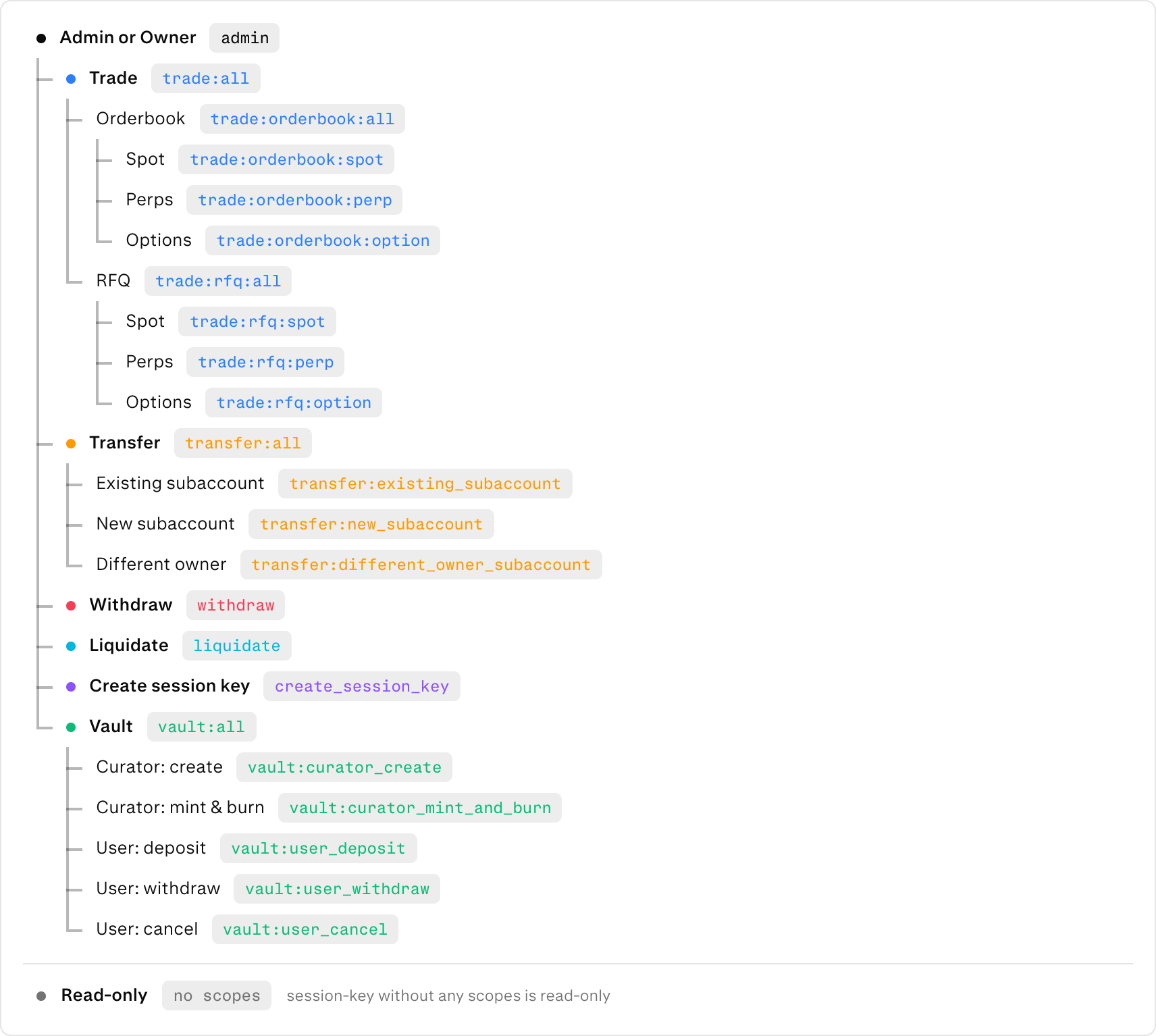
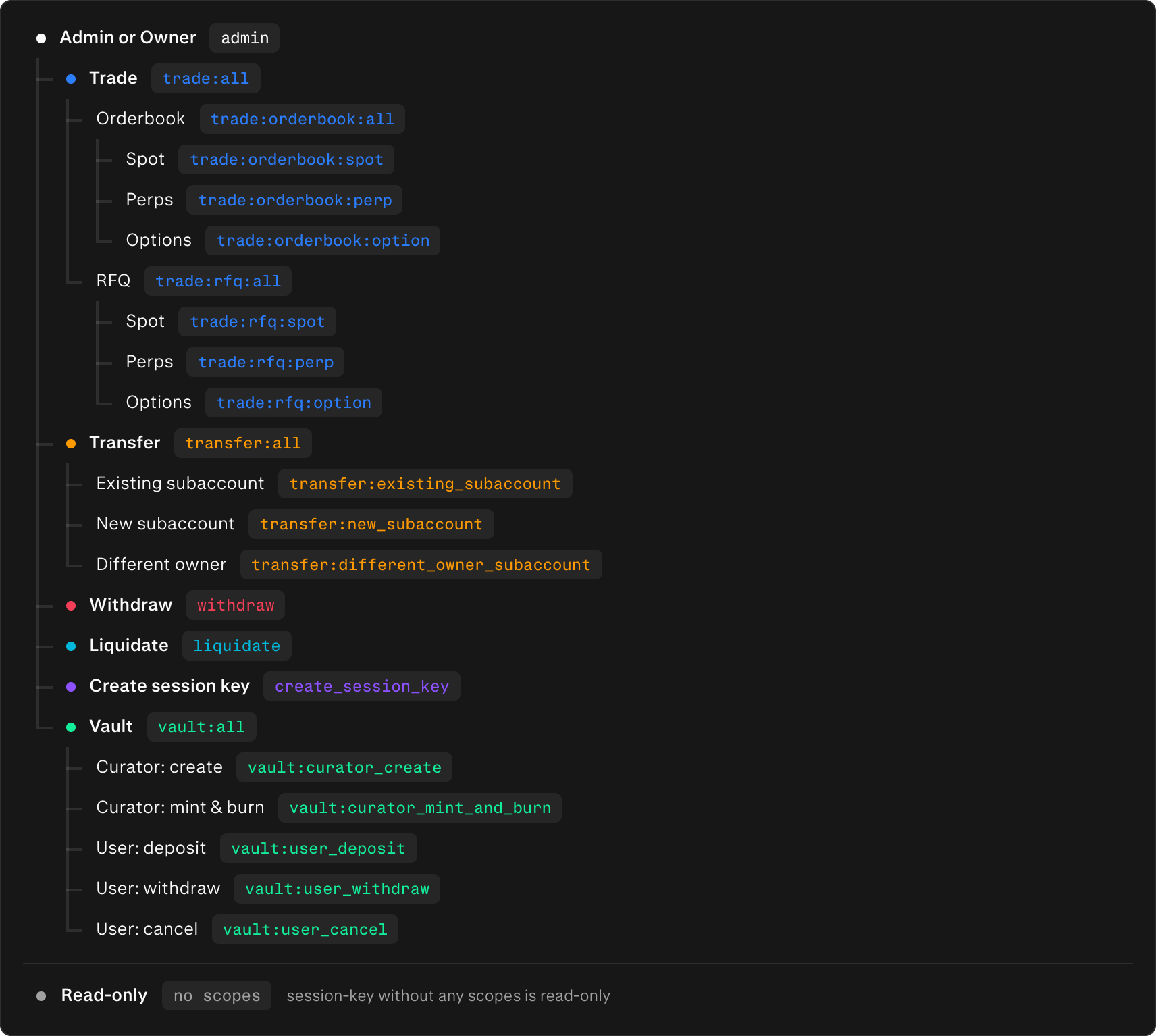
- Protocol scopes — on-chain authority. Signed into each action and re-validated by the protocol state machine. These decide what state-changing actions the key can authorize.
- Off-chain scopes — server-side capabilities. Never signed, never seen by the protocol; enforced only by the server before a request is processed.
All of the steps in this guide can be done through the UX or SDKs.
Protocol scopes
Protocol scopes form a tree. A grant for a branch covers everything under it, sotrade:all covers trade:orderbook:all and trade:rfq:option alike, and all at any level covers its children. A request is checked by asking whether one of the key’s grants allows the specific scope the action requires.
Off-chain scopes
Off-chain scopes are exact-match only — no tree, no hierarchy.Defaults and how scopes are set
There is no implicit default: a newly created key holds exactly the scopes its create request carried. Omitprotocol_scopes and the key has no protocol authority; omit offchain_scopes and it has no off-chain capability.
Two scope sets are also synthesized at auth time (not stored):
- Direct wallet auth → protocol
admin, no off-chain scopes (admin bypasses off-chain gates). - JWT / wallet-token auth → off-chain
account_info, no protocol scopes (read-only; cannot authorize actions).
1
Create — set both scope sets
Call
private/create_session_key. The caller must hold the create_session_key protocol scope. protocol_scopes
are ABI-encoded into the signed action and re-validated in-protocol; offchain_scopes are validated but stay
server-side. Child scopes must be a subset of the signing parent (delegated attenuation).2
Edit — off-chain fields only
Call
private/edit_session_key to change label, ip_whitelist, or offchain_scopes. Protocol scopes are not
editable here — to add or remove protocol authority, create a new key.See Session keys for the full create / edit / list lifecycle and
Authentication for how a session resolves to protocol and off-chain scopes. Amounts
and constants referenced by signed actions live on Action signing.